


Refer to the item number on the list below...
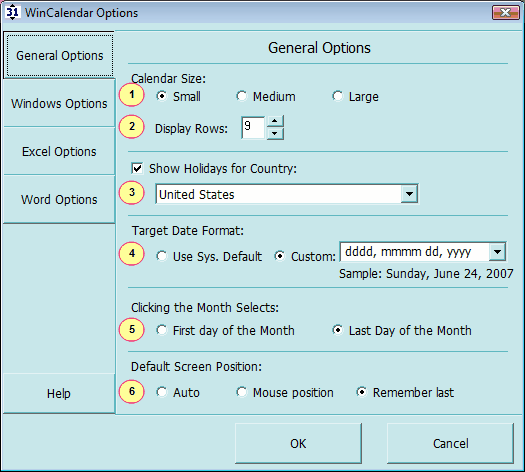
1) Calendar Size: Small / Medium / Large
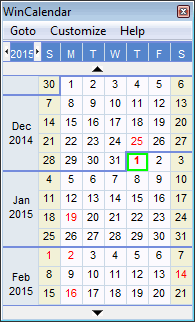
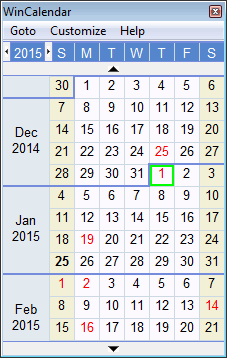
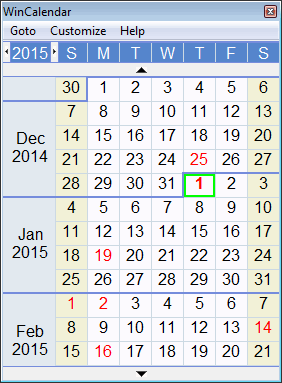
2) Display Rows: The above shown for a 12 week size Calendar. The maximum display weeks is 52 weeks (16 for the free version).
3) Show Holidays: WinCalendar can display holidays for the listed countries. Holiday data is obtained from public records/calculators & of course may not be always accurate. In the free version of WinCalendar: Holidays are marked but not displayed. For this case you can click the month name to open our web calendar with the Holidays listed (US & Religious only). The licensed WinCalendar supports displaying Holidays directly on WinCalendar. Refer to the past year for typical holidays which WinCalendar reflects.
4) Target Date Format: this is the date format that upon clicking a date is:
-placed in the clipboard if running WinCalendar in Windows
-inserted into the active cell if running WinCalendar in Excel
-inserted into the active document at the cursor position if running WinCalendar in Word
5) Clicking the Month Selects: Determines which date if processed if the month is clicked in WinCalendar.
6) Default Screen Position: This is the screen position for WinCalender when loaded. 'Auto' mode sets this to the Mouse Position cursor depending on how it is called.