


There are a few ways to display WinCalendar from Word...
1) Refer to commands in the WinCalendar tab :
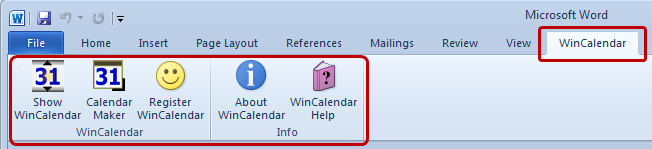
If you do not see the WinCalendar menu tab, please check see Troubleshooting #2.
2) Right-Click any date to display in the following Option in the Word Right-Click menu...
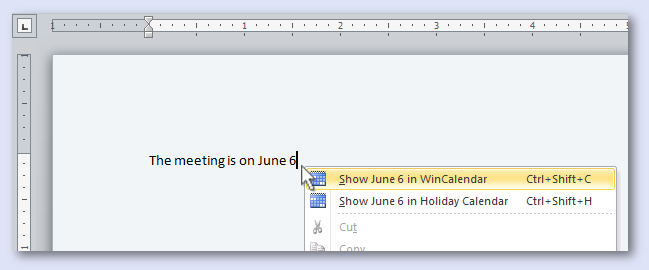
...note depending on the date format the menu option may not show. Try selecting the Date first. If it still doesn't show, use the next option...
3) Shortcut: Ctrl+Shift+C
Note the Shortcut for WinCalendar in Word Cannot be changed... this can only be changed for WinCalendar in Windows (you can change to Windows+Key+C from WinCalendar Options).